
One of the most frustrating PS5 problems happens when everything looks normal, the console powers on, the lights turn on, and maybe you even hear the startup sound, but the screen stays black or shows “No Signal.”
At that moment, most people assume the worst, or they waste hours swapping cables, changing settings, or resetting the TV. But the truth is simple:
In many cases, this isn’t a TV issue at all. It’s a PS5 HDMI port problem, and it’s one of the most common and repairable faults in modern consoles.
This guide breaks down the real-world symptoms of HDMI port failure, how to test it properly, what to avoid (so you don’t make it worse), and when you should stop troubleshooting and take your console to a repair shop.
If you need professional game console repair in Vancouver, getting the right diagnosis early can save both your console and your money.
Why PS5 HDMI problems are so common
The PS5’s HDMI port is under constant physical stress because of:
- tight cable angles behind TVs and gaming setups
- repeated plugging/unplugging
- accidental drops while cables are connected
- moving the console between rooms
- kids/pets pulling on cables
- heavier HDMI cables that “hang” and apply leverage
The port itself sits on the motherboard, and even a small impact can cause:
- bent pins
- cracked solder joints
- damaged internal contacts
- loosened port housing
The important part: this doesn’t usually mean your PS5 is “dead.” It typically means you need HDMI port repair or replacement, and the console can return to normal.
Top PS5 HDMI Port Failure Symptoms (the real signs)
Let’s go through the most reliable symptoms that point to HDMI port damage, not software.
1. PS5 turns on, but TV says “No Signal”
This is the #1 symptom.
What you’ll see:
- PS5 light turns on normally
- fans may spin
- controller connects
- but TV shows: No Signal / HDMI Not Detected
If your PS5 is powering up and behaving normally but you have no display, the HDMI port is immediately suspicious.
Important note: this doesn’t guarantee it’s the port, but it’s the first major indicator.
2. Display only works when you hold the cable at an angle
If your PS5 display only appears when:
- you press the HDMI cable inward
- pull it slightly upward/downward
- twist it carefully
That is a classic sign of:
- loose internal pins
- broken solder joints underneath the HDMI port
If it reacts to movement, it’s almost never a software issue.
3. Flickering screen, snow/static, random blackouts
Some HDMI port damage doesn’t cause total signal loss. Instead, it causes unstable contact.
Symptoms include:
- screen flickering
- random signal loss every few minutes
- flashing image
- “sparkles” or snow-like static
- console works on some resolutions but not others
This usually happens when one or more internal contacts are damaged, but not completely disconnected.
4. “No Signal” after moving the console
A lot of PS5 HDMI repairs start with this sentence:
“It worked yesterday, I moved it, now it has no signal.”
Moving the console while the HDMI cable is connected is risky because the cable acts like a lever. Even small movement can crack solder or bend pins.
So if the issue started after:
- travel
- moving rooms
- cleaning the setup
- relocating the TV stand
…HDMI port failure becomes very likely.
5. The HDMI port looks “loose” or feels unstable
If you insert the cable and it doesn’t “click” into place properly, or the port feels loose, that is a red flag.
A healthy HDMI port should feel:
- tight
- stable
- consistent
If yours feels sloppy, wobbly, or too easy to remove, the housing might be damaged or detached internally.
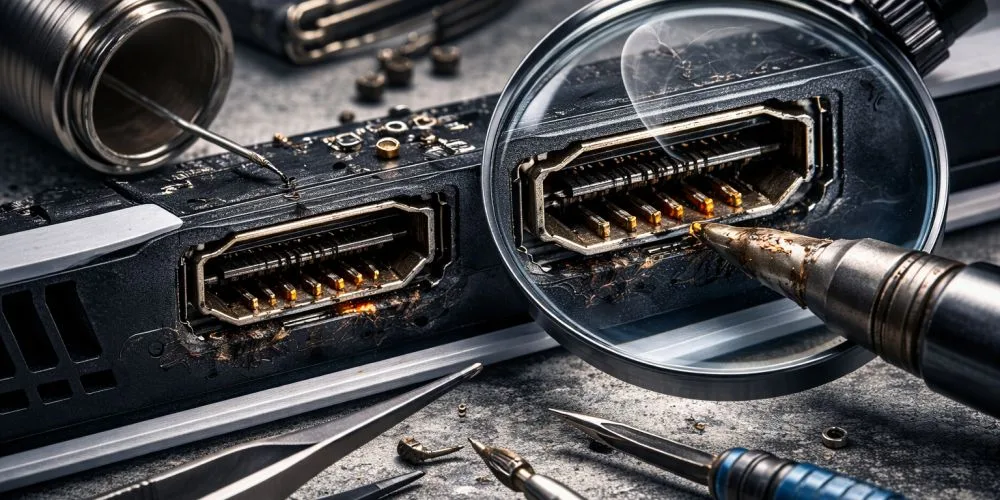
6. You see visible damage inside the HDMI port
This is where people panic, but it’s also the most obvious case.
Use a phone flashlight and look inside the HDMI port carefully. If you see:
- bent pins
- missing pins
- pins “flattened” downward
- debris inside the port
- cracked plastic divider
…then it’s not a settings issue. It’s physical damage.
Do not keep forcing the cable. You can turn a simple port repair into a motherboard-level failure.
How to confirm it’s NOT your TV or HDMI cable (fast tests)
Before committing to repair, do these quick tests. They save time and prevent wrong diagnosis.
Test 1: Try a different HDMI cable (a known-good one)
Not “another random cable.” Use one you KNOW works on another device (laptop, Apple TV, etc.).
If:
- your PS5 still has no signal
Then the cable is likely not the issue.
Test 2: Try a different HDMI port on the TV
Sounds basic, but many people forget.
- TV HDMI 1 might be broken
- TV HDMI 2 works fine
If PS5 works on another HDMI port, your console is fine.
Test 3: Try a different TV or monitor
This is one of the strongest tests.
If:
- PS5 has no signal on two different displays
Then the issue is in the console.
Test 4: Look for audio + controller behavior
A damaged HDMI port affects video output, not the ability to boot.
Signs PS5 is booting:
- controller connects normally
- you can turn the PS5 off by holding the PS button
- you hear startup sound (if setup allows)
If the console boots but no display, the HDMI port is a prime suspect.
The “Safe Mode” trick (one of the best diagnostic tools)
Many people don’t know this, but Safe Mode is extremely useful.
How to enter PS5 Safe Mode
- Turn PS5 off completely
- Press and hold Power button
- Keep holding until you hear a second beep (around 7 seconds)
- Plug controller via USB and press PS button
If you can see Safe Mode screen, your HDMI port likely still has some connection, and the problem might be:
- resolution issue
- HDCP handshake
- TV compatibility
- damaged HDMI cable
But if:
- Safe Mode is also black / no signal
It increases the chance of a physical HDMI issue.
PS5 HDMI port vs “HDMI chip” (Retimer / encoder issues)
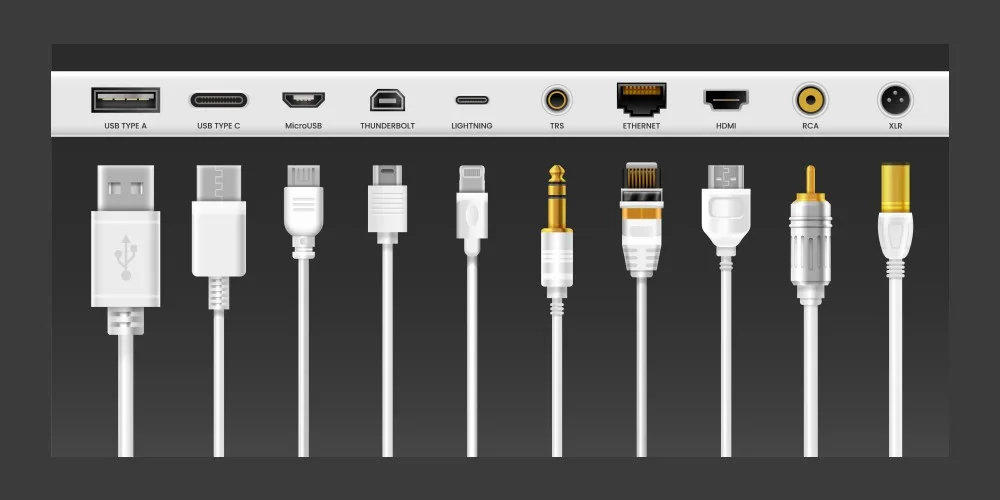
Here’s where a lot of amateur repair pages mislead people.
Not every “no signal” PS5 is the HDMI port.
Sometimes the issue is:
- HDMI retimer IC
- HDMI encoder circuit
- motherboard damage after power surge
- shorted components near port area
How to tell the difference
More likely HDMI port:
- reacts when cable moves
- started after moving/dropping
- port looks damaged
- you used force inserting cable
More likely HDMI chip or board issue:
- port looks perfect and tight
- no change with different cables/displays
- console had liquid damage
- console overheated repeatedly
- lightning/power surge occurred
This matters because:
- HDMI port repair is common and straightforward
- HDMI chip repair is more advanced micro-soldering
A professional shop should test both and give you a clear diagnosis before doing repair.
What NOT to do (these mistakes cost people money)
If your PS5 has HDMI signal issues, avoid these actions:
1. Don’t force different HDMI cables into the port
Forcing the cable can:
- bend pins further
- break internal contacts
- tear the port pads off the board
That last one is bad because repair becomes harder and more expensive.
2. Don’t keep hot-plugging while the console is on
Repeated plugging/unplugging HDMI while the PS5 is powered can cause:
- electrical damage
- short circuits (rare but possible)
- retimer damage
Always power down before trying cables.
3. Don’t keep resetting blindly
Factory reset is useless for physical port damage, and it can cause:
- data loss
- wasted time
- frustration
Reset only makes sense when you can at least see the display.
Can you fix a PS5 HDMI port at home?
Short answer: not safely, not properly.
A real HDMI port repair requires:
- proper soldering station and tools
- hot air rework equipment
- microscope / high magnification
- experience removing ports without damaging pads
- correct replacement port
- correct temperature profile (PS5 boards are sensitive)
The risk of DIY is huge:
- you can lift motherboard pads
- damage nearby ICs
- create short circuits
- make a simple fix turn into a motherboard replacement
If you’re in Vancouver and the PS5 is valuable, it’s not worth experimenting.
What a professional PS5 HDMI repair should include
If you’re sending your console to a shop, the repair should not be “swap port and hope.”
A real professional service usually includes:
- port inspection under magnification
- testing HDMI continuity
- checking for damaged pads
- verifying no shorts
- testing signal output under load
- proper reassembly and thermal checks
Because sometimes the port is damaged and there’s damage around it.
Preventing HDMI port failure (simple habits)
Once repaired (or if yours is still OK), do these:
- Use a right-angle HDMI adapter if your cable bends sharply
- Avoid pulling cables sideways
- Don’t move the console with cables connected
- Place the PS5 where cables don’t hang and pull
- Use lighter HDMI cables (high quality but not heavy)
One small change can prevent repeat repairs.
Final takeaway
If your PS5 suddenly shows “No Signal,” don’t panic and don’t waste hours on random resets.
Use the right approach:
- Confirm cable/TV with quick tests
- Look for movement-based signal reaction
- Inspect the port with flashlight
- Try Safe Mode
- If the evidence points to physical damage, stop forcing it
In most cases, PS5 HDMI issues are repairable, but the outcome depends heavily on how quickly you stop the wrong troubleshooting and get proper diagnosis. Contact us today for a free consultation!