A cracked display, a battery showing Service Recommended, a keyboard with dead keys, a machine that will not power on, or a spill that needs dealing with today. Those cover most of what comes through the door.
Gadget Ali repairs MacBook Air and MacBook Pro at two shops, 6551 No. 3 Rd in Richmond and 935 Marine Dr in North Vancouver. Walk in during business hours, no appointment needed at either.
We identify the exact fault before quoting, because on a Mac the difference between replacing a component and replacing a whole assembly is often hundreds of dollars. The inspection costs nothing.
Walk-ins welcome • Richmond and North Vancouver locations
Inside Richmond Centre Mall Opp Koodo and BestBuy, 6551 Number 3 Rd MRU-11, Richmond, BC V6Y 2B6
935 Marine Dr #39, North Vancouver, BC V7P 1S3
Call ahead to check availability or walk in during business hours for fast service.
We identify the fault before quoting rather than after. On a Mac that matters more than on most devices, because the same symptom can mean a cheap component repair or an expensive assembly replacement, and you should know which one you are being charged for.
You get a clear number and a realistic time before anything starts. Screens and batteries are usually a few hours when we have the part for your model on the shelf. Board level work and liquid damage take longer, and we tell you that at inspection instead of promising a turnaround we cannot keep.
Windows laptops, Chromebooks and business machines are handled separately. Everything we cover across those brands is on our laptop repair page.

Cracked glass, lines across the display, flickering, or a backlight that has gone out.
We confirm whether the fault is the panel or the cable before quoting, because those are very different repairs.

Service Recommended warnings, sudden shutdowns, or a battery that no longer lasts a morning.
A cell swelling under the trackpad is the urgent version and should be dealt with quickly.

Shut it down, leave it off, and bring it in. The damage is corrosion rather than water, and it keeps spreading quietly after the machine feels dry.

Blocked airflow, dried thermal compound, a worn fan bearing, or a sensor fault. Our guide on a MacBook running hot with loud fans explains how to narrow it down first.

MagSafe and USB-C ports wear out, and a machine that will not power on is not always dead. We test the adapter, the port and the board before replacing anything.

Dead keys, keys that repeat, or a trackpad that will not click. On many models the keyboard is part of the top case, which changes what the repair involves.
The difference between repair shops on a Mac is not the parts catalogue, it is whether the fault gets identified properly before anything is replaced. That is where the money is saved or wasted.

Richmond on No. 3 Rd and North Vancouver on Marine Dr. No appointment, and you can come back to the same counter if anything needs a second look.

We find the actual fault first. A no-power Mac can be an adapter, a port, a battery or a board, and each of those is a different price.

Replacing a whole assembly when one part failed is the expensive route. Where a component level repair is realistic, we tell you it is an option.


We work on both architectures. Which one you have changes the diagnosis, the parts and what is realistic to repair.

Eligible repairs are covered on parts and labour for 30 days, and we explain what that covers before the job is finished rather than after.
MacBook repair prices vary more than almost any other device, and the reasons are specific rather than arbitrary. These five things explain most of the gap between one quote and another.
Every MacBook has a model identifier, and prices are set against that rather than against the year you bought it. Click the Apple menu, then About This Mac, and note what it says. On older machines the identifier is also printed in small text along the bottom of the case.
Two MacBooks that look identical can take completely different display assemblies, so a quote given without that identifier is a guess. Bring it with you or include it when you ask us for a price and the number you get back will be the real one.
About This Mac also tells you which chip you have. If it names an M series chip you have Apple silicon. If it names an Intel processor, the machine works differently in ways that matter at the bench.
Intel Macs run hotter, wear their thermal compound out faster, and have more parts that can be serviced separately. Apple silicon machines run cooler and are more tightly integrated, which makes some repairs simpler and others impossible. We check this first because it decides what is realistic before anything else does.
When one small component on the logic board fails, there are two ways to fix it. Replace the entire board, which is the fastest route and by far the most expensive, or repair the failed component itself.
A charging circuit that has shorted, a power rail that has failed, or a single chip damaged by liquid can often be dealt with at component level. That costs a fraction of a board replacement and it keeps everything on the machine exactly where it was. It is not always possible, and we will tell you honestly when it is not, but it is always worth asking about before agreeing to a board swap.
On older Intel MacBooks the drive is a separate part, so if the machine dies the storage comes out and your files come with it. That is no longer how it works.
On Macs with the T2 chip and on every Apple silicon model, the storage is soldered to the logic board and tied to that specific machine. If the board fails, the files are not simply moved into another Mac. Recovery becomes board level work and it is not guaranteed on any device.
This is the single strongest argument for a working backup, and it is worth knowing before something goes wrong rather than after. If your Mac is still running but behaving oddly, get the data off it today.
MacBooks from roughly 2015 through 2019 used a low travel keyboard design that became well known for keys sticking, repeating, or stopping altogether, often triggered by a single crumb.
On those models the keyboard is built into the top case, so a keyboard fault is a larger job than it sounds. Sometimes a thorough clean brings a key back. Often it does not, and the honest answer is a top case replacement.
If you have a machine from that era with one or two problem keys, bring it in before it becomes five. We will tell you whether cleaning is worth trying first.
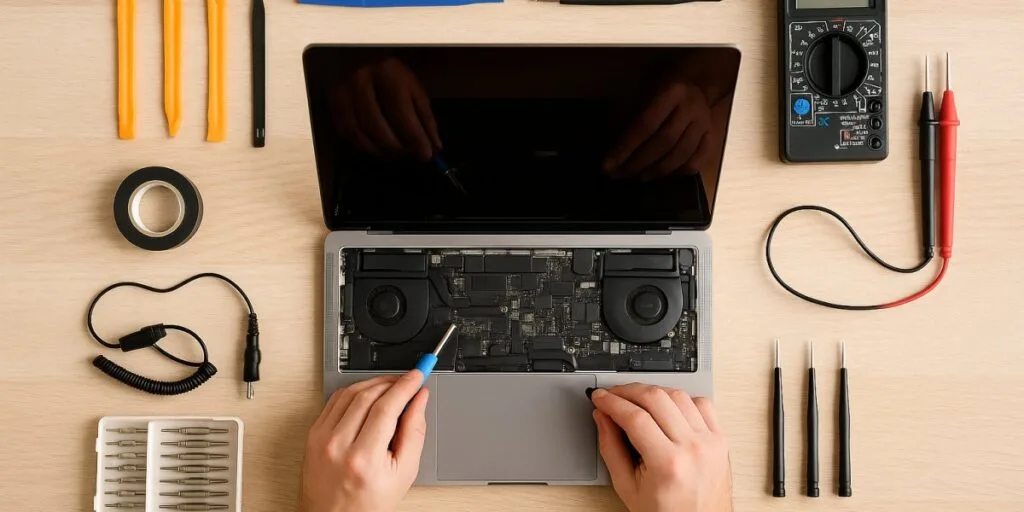
The inspection is free and you are welcome to take the quote and think about it. Eligible repairs come with a thirty day warranty on parts and labour.
Click the Apple menu, then About This Mac. That gives you the model and the chip, and both matter. Prices are set against the model identifier rather than the year you bought it, because machines that look identical can take different display assemblies.
Often yes. A battery or a keyboard on a machine that otherwise runs well costs a fraction of a replacement. The calculation changes when two or three things need doing at once, or when the model is close to the end of its macOS support. We give you an honest read after diagnosis.
Not always. On models from around 2015 to 2019 a thorough clean sometimes brings a key back, though on that generation the keyboard is built into the top case, so when cleaning does not work the repair is larger than it sounds. We try the cheaper option first where it is realistic.
Yes, though those are covered separately. See our laptop repair page for Windows laptops, Chromebooks and business machines.
Richmond: 6551 No. 3 Rd, Richmond, BC V6Y 2B6, (604) 399-5566. North Vancouver: 935 Marine Dr #39, North Vancouver, BC V7P 1S3, (604) 700-0231. We serve customers from across the Metro Vancouver area at these two locations.
Bring the model identifier from About This Mac and we can be far more specific about the price. Send it to us with a description of the fault and we will come back with a range before you make the trip.