


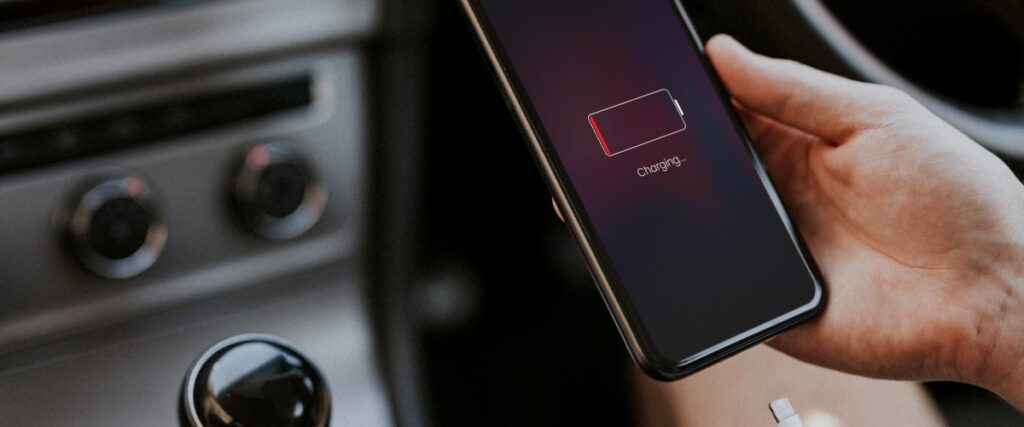
iOS 26 introduced a refreshed interface, smoother animations, stronger privacy settings and several new AI powered features. It runs beautifully on the iPhone 17 series, but many users across Vancouver, Richmond and North Vancouver are seeing a very different experience on older devices. The two biggest complaints right now are simple. iPhone Battery drain and overheating.
At Gadget Ali, these are the issues we fix the most after any major iOS release. When older devices try to keep up with new software, problems appear quickly. The good news is that most of these issues have clear causes and real solutions, and in many cases you can prevent permanent damage by acting early.
This guide explains why iOS 26 drains more battery, why your iPhone may feel hot, how to fix these issues and when you should visit a repair shop.
1. Why iOS 26 Causes Heavy Battery Drain
Battery drain after a major update is normal for a short period, but iOS 26 includes changes that make power usage noticeably higher on older iPhones.
Background System Rebuilding
When you install iOS 26, the system needs time to rebuild internal data. This happens in the background for one to three days. During this time the phone uses extra CPU power to process:
- Photos indexing
- App library indexing
- Search and Siri suggestions
- Notification history reconstruction
- System optimization tasks
If your phone has large storage or many apps, battery drain becomes obvious.
New Animation Engine
The redesigned Liquid Glass interface uses more complex animations that require extra GPU and CPU power. iPhone 17 handles these easily, but older chips work harder and drain battery faster.
On Device AI Features
iOS 26 includes updated machine learning tools that run automatically in the background. These tasks include:
- language detection
- improved photo processing
- automatic app suggestions
- smarter keyboard predictions
This creates short but heavy CPU spikes that reduce battery life.
Apps Not Optimized Yet
Developers need time to update apps for new versions of iOS. Until then, older apps may use more power because they are not aligned with new background processes. This can increase battery usage in popular apps like Instagram, TikTok and WhatsApp.
Old Battery Health
No software update can fix a physically aging battery. If your iPhone battery health is under 80 to 85 percent, iOS 26 will drain it much faster because:
- the battery holds less charge
- the chip compensates by drawing more power
- temperature increases during usage
This is one of the biggest reasons we see battery replacements right after major updates.
2. Why iOS 26 Makes iPhones Overheat
Overheating happens when the phone generates more heat than it can release. iOS 26 puts more pressure on older devices, and heat appears when the battery and processor cannot handle the load.
Stronger Processing Requirements
Even basic tasks become heavier because new animations and new AI tools require more performance. Older devices like iPhone 11 or iPhone SE warm up faster during:
- multitasking
- video calls
- camera use
- gaming
- using social media apps for long periods
Battery Stress and Heat
When a battery ages, it becomes less efficient. An older battery heats up faster when:
- charging
- using high brightness
- running navigation
- recording videos
This heat affects the entire phone.
WiFi, Bluetooth and 5G Bugs
Some users report overheating when wireless signals constantly reconnect or fail. This happens when:
- 5G signals are weak
- WiFi networks are unstable
- Bluetooth loops during pairing
The phone tries repeatedly to connect, generating heat.
Camera Processing in iOS 26
The updated camera pipeline in iOS 26 performs more operations in the background. On older models, this can cause overheating after:
- recording long videos
- switching between lenses
- taking photos in low light
3. iPhone Models Most Affected by iOS 26 Battery and Heat Issues
Although any compatible model can experience issues, these devices show the strongest symptoms based on repair patterns at Gadget Ali:
- iPhone 11
- iPhone 11 Pro and 11 Pro Max
- iPhone SE 2nd and 3rd generation
- iPhone 12 mini
- iPhone 12 models with low battery health
Newer devices maintain better stability thanks to better chip efficiency.
4. Signs Your iPhone Is Struggling With iOS 26
Here are the most common warning signs that your iPhone is under stress:
- phone feels hot even during light use
- battery drops faster than usual
- charging slows down or stops temporarily
- apps freeze or reload frequently
- camera becomes slow or unresponsive
- brightness lowers on its own
- phone drains quickly outdoors in cold Vancouver weather
These symptoms often indicate a worn battery or an overworked processor.
5. How to Reduce Battery Drain After Updating to iOS 26
Most users can improve battery life significantly by adjusting a few settings.
Turn Off Background App Activity
Go to Settings, General, Background App Refresh and disable unnecessary apps.
Limit Location Services
Apps do not need constant GPS access. Go to Settings, Privacy, Location Services and set apps to “While Using the App”.
Disable Motion Effects
Reducing motion helps older devices manage animations more efficiently.
Settings, Accessibility, Motion.
Update All Apps
Developers update apps regularly to fix high power usage after major iOS releases. Updating apps helps reduce battery drain.
Check Battery Health and Replace if Needed
If your battery health is below 80 to 85 percent, replacement will dramatically improve performance on iOS 26.
How to Fix Overheating Issues on iOS 26

These steps help keep your iPhone cooler.
Remove the Case While Charging
Some cases trap heat around the battery.
Avoid Charging in Extreme Temperatures
Vancouver’s cold winters affect battery chemistry. Charge indoors at room temperature for best results.
Use Certified USB C Cables
Cheap cables cause unstable voltage and overheating.
Restart Your iPhone Daily
This clears temporary files that build up after the update and may reduce heat.
Disable 5G Temporarily
Weak 5G signals create extra heat from repeated reconnection attempts.
7. When You Need a Repair Shop Instead of Self Fixes
If your iPhone shows any of these symptoms, professional repair is recommended:
- battery health very low
- device shuts down randomly
- phone becomes hot during charging
- camera freezes constantly
- phone stuck on Apple logo after update
- touch lag caused by heat buildup
At this stage, battery replacement, charging port repair or software repair may be necessary.
8. Cold Weather in Vancouver Makes the Problem Worse
Vancouver’s winter climate can increase iOS 26 battery issues. Cold temperatures slow down battery chemical reactions, causing:
- faster battery drops outdoors
- unexpected shutdowns
- overheating when returning to warm indoor air
If you use your phone heavily outside, these issues become more noticeable after updating.
9. Need Help With iOS 26 Issues? Gadget Ali Can Fix It
If your iPhone started draining battery too quickly or overheating after installing iOS 26, you do not need to deal with the problem alone. At Gadget Ali, we help customers across Vancouver, Richmond and North Vancouver with:
- fast battery replacements
- charging port repairs
- overheating diagnostics
- software repair
- camera troubleshooting
- motherboard level repair when needed
We use high quality parts and provide clear, honest repair advice. Whether your iPhone is brand new or a few years old, our team can help you restore smooth performance.
You can walk in, message us or request a quick repair quote online for iPhone repairs. If iOS 26 caused new problems on your device, we are here to fix them.