Nintendo Switch not charging, not showing on the TV, or dealing with a cracked screen or Joy-Con drift? Gadget Ali repairs every Switch model (Switch, Switch Lite, Switch OLED, and the new Switch 2) at our Richmond and North Vancouver shops, serving customers across Metro Vancouver.
Every repair starts with a free diagnostic, so you know the real cause before you decide. Most common repairs are done the same day.
Same day service • Free diagnostic
This page is focused specifically on Nintendo Switch hardware issues and repair needs in Vancouver. If you are looking for broader game console repair services for other systems as well, you can view our full console repair page.
Nintendo Switch consoles can develop charging problems, dock connection issues, screen damage, battery faults, and other hardware related problems that need the right diagnosis before repair is recommended.
Inside Richmond Centre Mall Opp Koodo and BestBuy, 6551 Number 3 Rd MRU-11, Richmond, BC V6Y 2B6
935 Marine Dr #39, North Vancouver, BC V7P 1S3
Call ahead to check availability or walk in during business hours for fast service.
We repair Nintendo Switch, Switch Lite, and Switch OLED, Joy-Con drift, charging port failures, cracked screens, battery drain, and dock/no-signal issues.
Every repair starts with a free diagnostic so you know the real cause before you decide. Most common repairs are done the same day.
A lot of people search for Nintendo Switch repair near me when the console suddenly stops charging, stops showing on the TV, develops screen damage, or starts having problems that come and go. In many cases, the symptom is only part of the problem. A Nintendo Switch may power on but fail to charge properly. It may work in handheld mode but not when docked. It may hold power poorly, respond inconsistently, or become difficult to use after a drop.
The right Nintendo Switch repair starts with identifying whether the issue involves the charging port, dock connection, screen, battery, internal hardware, or physical damage affecting the console’s normal operation. Guessing too early often leads to the wrong repair path.
For customers in Vancouver, the real goal is not just getting the console working for one day. It is understanding what failed, why it failed, and whether the repair makes practical sense.
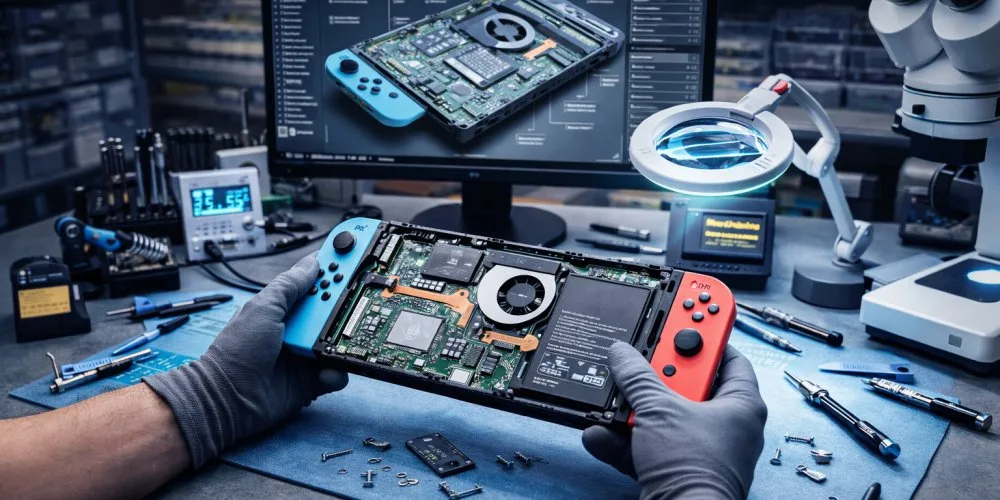
Nintendo Switch systems are handled differently from larger home consoles because they deal with both portable wear and dock-related use. That creates a different pattern of hardware problems over time.
Charges slowly, only at a certain cable angle, or not at all. Usually a worn USB-C port or a battery fault, not just the cable. The Switch 2 has two USB-C ports, so we test both.
A charging issue can involve:
The important thing is not assuming the cable is the whole problem.
Works in handheld but won’t display when docked. Often the console’s charging and video hardware, not the dock itself, so we diagnose before replacing anything.
Common signs include:
Cracks, flickering, lines, black screen, or unreliable touch. We repair LCD (Switch, Lite, Switch 2) and OLED (Switch OLED) panels.
Drains quickly, shuts off unexpectedly, or won’t hold a charge. Usually battery wear, a straightforward same-day replacement in most models.
Characters or menus moving on their own, or controllers that won’t sync. We fix drift on original Joy-Con and the new magnetic Joy-Con 2.
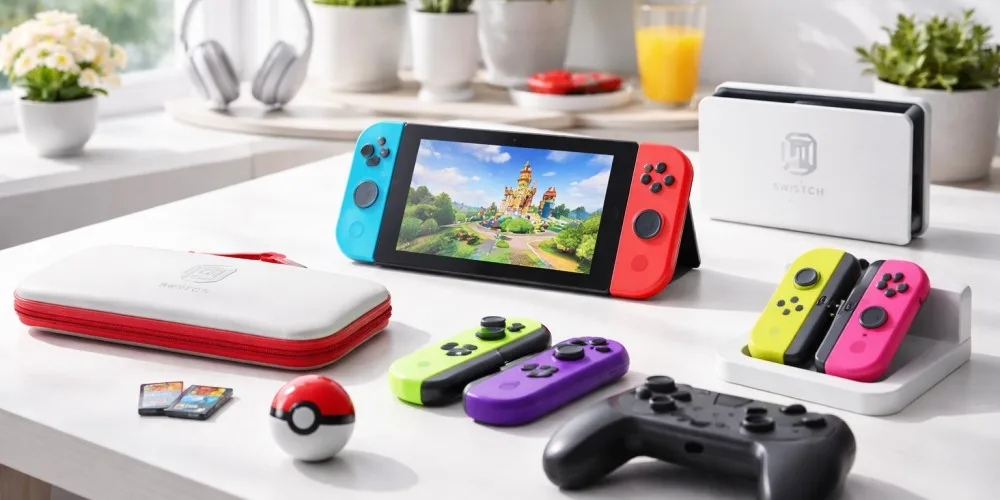
We repair the full Nintendo Switch lineup, and each one is built differently:
Two Switches with the same symptom can need very different repairs, that’s why every job starts with a diagnostic, not a guess.
Usually, yes, when the fault is a single charging, dock, screen, or battery issue, repairing one part costs far less than replacing the whole console.
The real question is whether your specific fault is repairable and makes financial sense, which is exactly what the free diagnostic answers.
Joy-Con drift, rail damage, and controllers the console will not detect are repaired per Joy-Con, so a single faulty side costs less than a pair. Joy-Con 2 for Switch 2 and the Switch Pro Controller are also covered.
Details and pricing are on our game controller repair page.
| Issue | Models | Starting price (CAD) | Turnaround |
|---|---|---|---|
| Joy-Con drift (per controller) | Switch / Lite / OLED | from $50 | 30-60 min |
| Charging port (USB-C) | Switch / Lite / OLED | from $90 | Same day-48h |
| Screen – LCD | Switch / Lite | from $120 | 1-2h |
| Screen – OLED | Switch OLED | from $180 | 1-2h |
| Battery replacement | All models | from $80 | Same day |
| Dock / no-signal (board-level) | All models | Diagnostic first | 48-72h |
| Won’t power on | All models | Free diagnostic | Varies |
A “won’t charge” or “no signal on TV” Switch is not always the console’s fault, sometimes it’s the dock or cable. That’s why we diagnose first and quote after. No guessing, no unnecessary parts.
Yes. We repair the Switch 2 alongside the original Switch, Lite, and OLED, including Joy-Con 2 drift, the dual USB-C charging ports, screen damage, and battery issues.
Usually a worn USB-C charging port, a battery fault, or internal power damage, not just the cable. If it charges only at a certain angle, charges very slowly, or stops completely, have it checked before it gets worse.
In most cases, yes. A no-signal-while-docked issue often comes from the console’s charging-and-video hardware or the dock connection, not the TV. A diagnostic pinpoints which one.
Yes. We repair cracked, flickering, black, and unresponsive-touch screens, LCD on the Switch, Lite, and Switch 2, and OLED on the Switch OLED.
Common signs: won’t charge, charges only when the cable is held a certain way, an inconsistent connection, or the battery barely rising while plugged in. The diagnostic confirms it before any repair.
Most common repairs are same-day. We have two shops, Richmond (6551 No. 3 Rd) and North Vancouver (935 Marine Dr #39), serving all of Metro Vancouver.
Charging fault, no signal on the TV, a cracked screen, or Joy-Con drift, on any Switch model, including Switch 2. Bring it to our Richmond or North Vancouver shop for a free diagnostic and a clear answer before the damage gets worse.