


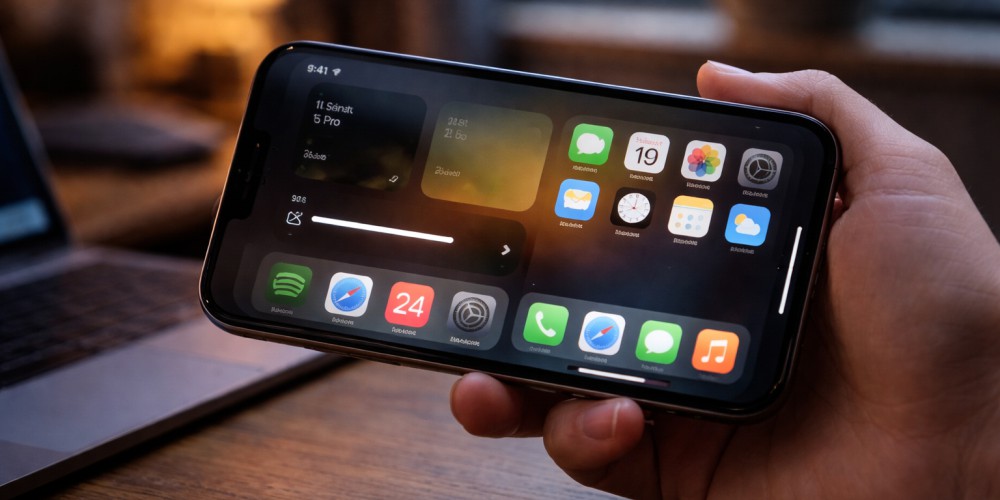
When your iPhone suddenly dims the screen by itself, it can be confusing. You turn the brightness up, and a few minutes later it drops again. Many people assume the display is failing, but that is not always the case.
Automatic dimming can be caused by heat management, software behavior, or hardware display issues. Understanding the difference helps you avoid unnecessary repairs while also knowing when professional help is the right move.
If the issue continues after basic troubleshooting, it may be time to have a technician inspect the device through a professional iPhone repair service.
First, Make Sure It Is Not Normal Auto-Brightness
Before assuming there is a problem, check whether standard brightness features are responsible.
iPhones are designed to adjust brightness based on lighting conditions. In a dark room, the screen will dim to reduce eye strain. In bright sunlight, it becomes brighter.
Check these settings:
- Settings → Accessibility → Display & Text Size → Auto-Brightness
- Settings → Display & Brightness → True Tone
- Settings → Display & Brightness → Night Shift
These features change screen appearance, but they should not cause extreme or sudden drops in brightness under stable lighting. If your screen becomes very dim even in a well-lit room, something else may be happening.
Cause 1: iPhone Is Overheating
Heat is one of the most common reasons an iPhone dims its screen.
When internal temperature rises, iOS automatically lowers screen brightness to reduce heat generation. This protects internal components and prevents shutdown.
Signs heat is the cause:
- The phone feels warm or hot
- Dimming happens during gaming, video streaming, or charging
- Brightness stays low even when you try to raise it
- You may see a temperature warning screen
Common heat triggers include heavy app usage, direct sunlight, wireless charging, or using the phone inside a car on a sunny day.
What you can do:
- Remove the case temporarily
- Stop heavy apps and let the phone rest
- Move it out of direct sunlight
- Avoid charging while gaming or streaming
If the dimming only happens when the phone is hot, the display itself is likely fine.
Cause 2: iOS Software Behavior or Bugs
Sometimes the issue is software related rather than hardware.
iOS updates occasionally introduce brightness or display behavior glitches. Background processes, corrupted settings, or minor system bugs can also cause unstable brightness levels.
Possible signs of a software issue:
- Dimming started after an iOS update
- Brightness fluctuates without the phone feeling hot
- A restart temporarily fixes the issue
- Other minor glitches are happening too
Try these steps:
- Restart the iPhone
- Update to the latest iOS version
- Reset All Settings (this does not erase data)
- Turn off Auto-Brightness and test manually
If brightness becomes stable after these steps, the issue was likely software related.
Cause 3: Display or Sensor Hardware Problem
If dimming happens frequently, even when the phone is cool and settings are correct, there may be a hardware issue.
Two components are commonly involved:
Ambient Light Sensor
This sensor measures surrounding light. If it fails or gets obstructed, the phone may misjudge lighting and dim the screen incorrectly.
Display or Backlight System
The screen itself relies on a backlight layer. If that system starts failing, brightness may drop unevenly or randomly.
Hardware related warning signs:
- Screen is dim even at maximum brightness
- Brightness changes suddenly without environmental change
- Parts of the display look darker than others
- The problem continues after resets and updates
At this point, it is best to have the device examined by a technician experienced in iPhone repair service diagnostics.
Could a Battery Problem Cause Screen Dimming?
Yes, indirectly.
When battery health is very low, iOS may limit performance to prevent unexpected shutdowns. While this mainly affects speed, unstable power delivery can sometimes affect screen performance too.
If your iPhone also shows:
- Fast battery drain
- Unexpected shutdowns
- Slow performance
Then battery condition should be checked along with the display system.
When Dimming Is Normal vs Not Normal
Normal behavior:
- Slight dimming in dark rooms
- Temporary dimming when phone gets hot
- Gradual brightness changes based on lighting
Not normal behavior:
- Screen becomes very dark indoors
- Brightness keeps dropping even at max setting
- Dimming happens frequently without heat
- Screen looks uneven or patchy
If your situation matches the second group, professional inspection is recommended.
Why Ignoring the Issue Can Lead to Bigger Problems
If dimming is caused by overheating, continued heavy use can stress internal components. If it is a display or sensor issue, the problem may worsen over time, leading to:
- Permanent low brightness
- Screen flickering
- Full display failure
Early diagnosis helps prevent more expensive repairs later.
Professional Diagnosis Makes the Difference
Brightness issues can look similar but come from very different causes. A technician can test:
- Screen and backlight performance
- Sensor accuracy
- Internal temperature behavior
- Battery health
That level of testing is not possible through settings alone. If your iPhone keeps dimming randomly, a proper iPhone repair service check ensures you fix the real issue, not just the symptoms.